Measurement data, calculation exports, standard reports, revisions, site inspections. If your engineers spend their afternoons pasting results into Word and rereading the same paragraphs on every project, we automate it — with software and AI built around the calculation tools you already use.
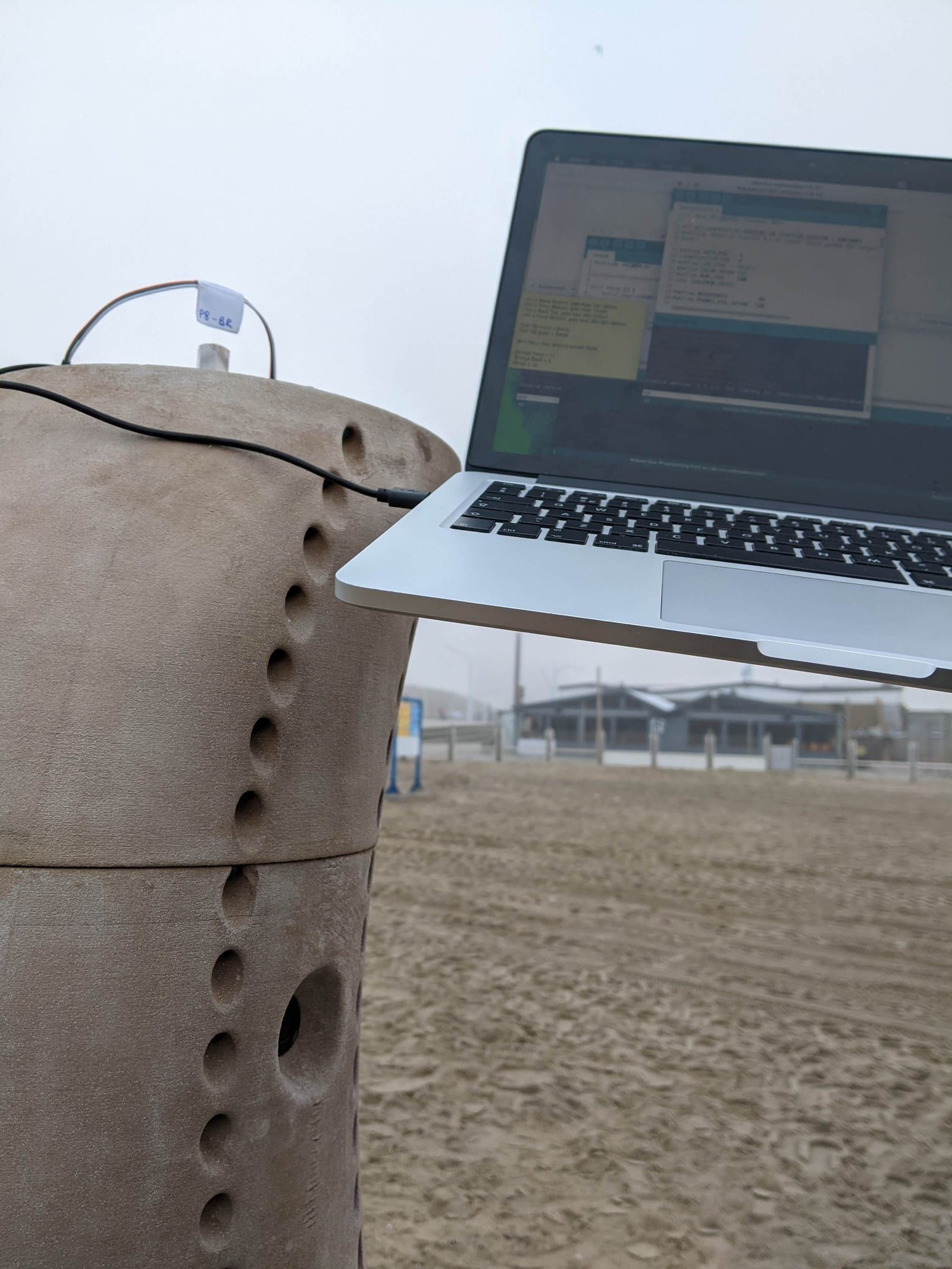
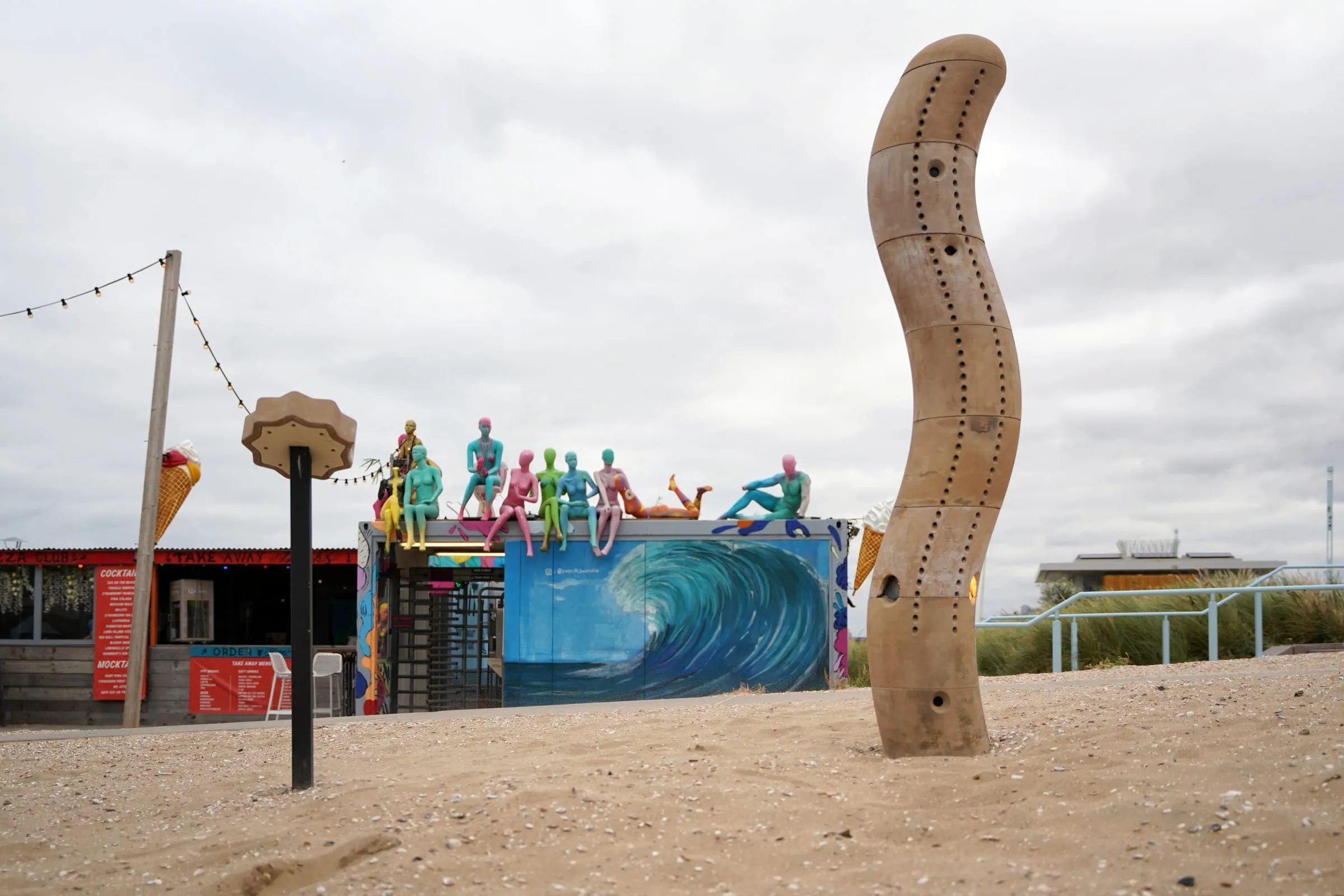
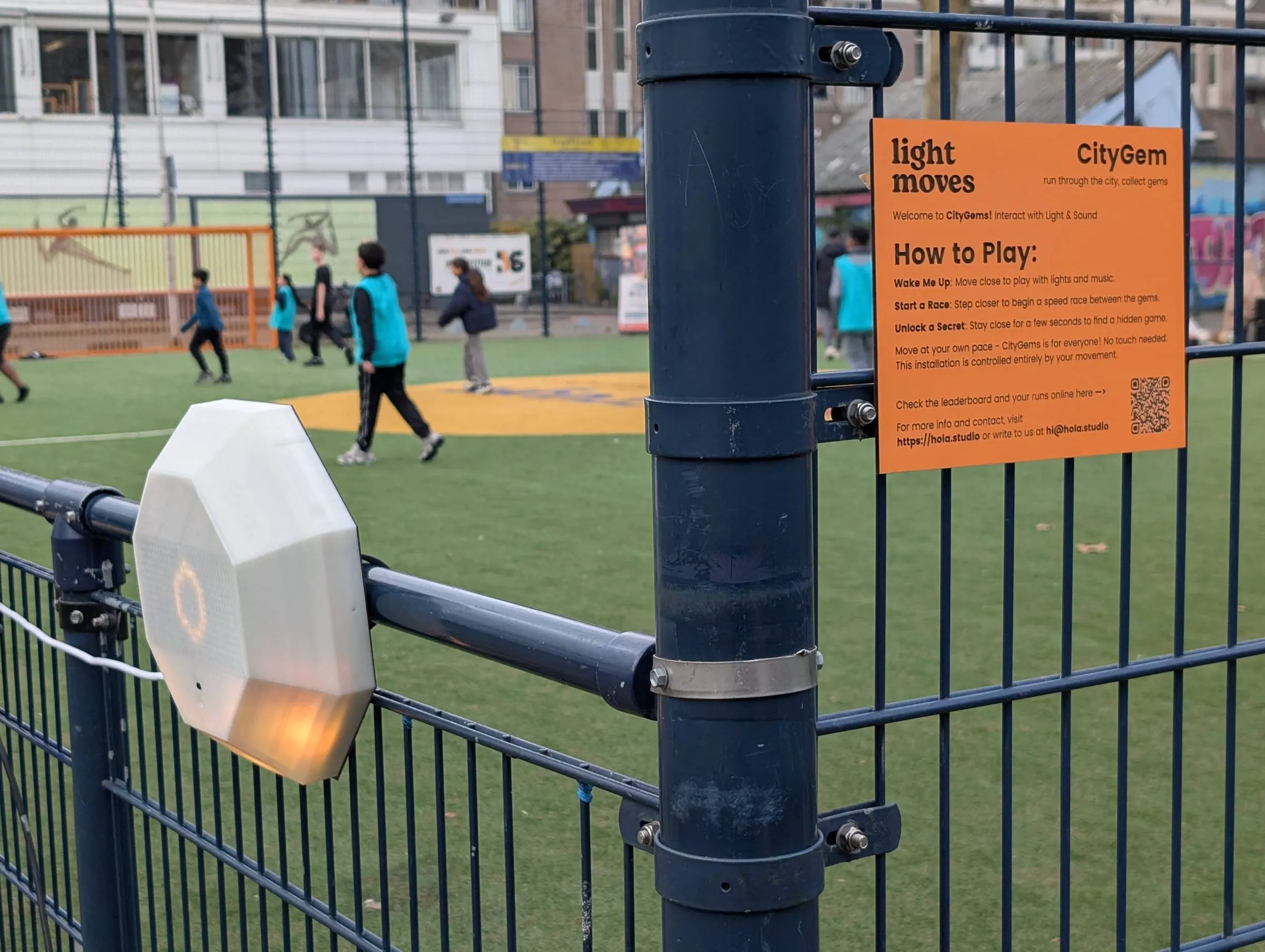
Our own work: commissioning The Wave on site, Scheveningen
Today: pasted into
Measurements Meters · loggers · site photos
Calculation tools Energy · acoustics · fire
Spreadsheets Checks · tables · limits
Drawings PDF · DWG · IFC
Email Questions · comments
One source of truthProjects · measurements · standardsEntered once, checked once
Generated, every time
Reports In your template, every time
Checks Results against the limits
Revisions What changed, section by section
Client portal The latest approved report
Today measurements, calculation results, spreadsheet checks, drawings and email are pasted together by hand. With one source of truth they are entered once, and reports, checks against limits, revisions and a client portal are generated from it.
Your field
What do you advise on?
Pick your field and jump straight to the examples that fit your work.
It's rarely the engineering. It's moving results into reports, checking them and reissuing them, again on every project.
01
Results get pasted into Word
Numbers move from the calculation tool to Excel to the report by hand, and every paste is a chance for a typo.
02
Every report starts from the last one
Standard paragraphs, tables and appendices copied from a previous project and edited until they fit.
03
Site data arrives in every format
Meter exports, logger files, photos and notes from site, sorted and renamed before anyone can use them.
04
Checking takes as long as writing
A second engineer rereads the whole report because nobody can see what changed since the last version.
05
Standards change, templates don't
A new version of a standard means hunting through every template for the old clause.
06
Clients ask where their report is
Status, versions and comments live in someone's inbox.
Before you build anything
What can you automate?
Think of one task in your firm and tick what's true. Frequent, repeatable work on digital information is where software pays back fastest — and we'll tell you what we'd do about it.
Score 0 of 9
Probably not worth software yetA rare or one-off task seldom pays back.What we'd do: We'll tell you honestly. Often a better checklist is all it needs.
A smart templateRepetitive enough that nobody should start from a blank page.What we'd do: We set up report templates that fill themselves from your results, so every report starts mostly done.
A script or small automationFrequent and rule-based: exactly what software is good at.What we'd do: We write the script, import or report generator around the calculation tools you already use. Usually the quickest win.
A proper toolThis is where firms get days back on every project.What we'd do: We build you a private platform: one source of truth for projects and measurements, with every report generated from it and every revision kept.
How much could you save?
Your own numbers, for one repetitive task.
Hours back per year
184
Working weeks
4.6
Internal cost freed per year
€6,440
What fits
A proper tool
Weeks of your engineers' time every year. Worth one source of truth.
Counted over 46 working weeks and 40-hour weeks. This is your estimate of your own process, not a promise; the process review replaces it with a measured number.
How often × how long
Every task in your firm sits somewhere on this grid. Wherever yours lands, there's something we can do — except the bottom left, where we'll tell you to leave it.
Automate firstWe do this We build it for you: a platform or automation that takes it off your desk.
Script itWe do this We write a small script or connection, so it runs without anyone touching it.
Make a templateWe do this We set up a report template that fills itself from your results.
Leave it Not worth software. We'll say so.
Tick the questions above and your task's quadrant lights up.
Make a template
Automate first
Leave it
Script it
1Standard report
2Measurement processing
3Revision check
4Client status update
5Tender proposal
6Template after a new standard
7Accreditation audit
How often it happens →Time it takes each time →
Standard report
Measurement processing
Revision check
Client status update
Tender proposal
Template after a new standard
Accreditation audit
What we build
Four ways we can help your firm
Most firms need a mix. We start with the smallest thing that gives you back the most hours.
Automation
Scripts and connections between the tools you already have.
· Exports from calculation tools into your report templates
· Reports generated in your layout: Word, PDF, Excel
· Meter and logger files cleaned and imported in one step
· Hand-offs between apps with Make, n8n or Power Automate
Platforms
A private web app with one database for projects, measurements and reports.
· Measurements, photos and notes per site visit
· Reports frozen per issue, with what changed
· A library of standard paragraphs tied to the clauses they cite
· A client portal with the latest approved report
AI
Reading, sorting and drafting — with your engineer checking and signing the result.
· Site notes and photos turned into draft findings
· Report drafts from your results, for your engineer to review
· Plain-language search across past reports and standards
· EU-hosted models, or local models on your own server
Analysis
Dashboards and reports from your measurements, sensors, hours and budgets.
· Measurements plotted against the limits, automatically
· Hours and budget per project and phase
· Recurring findings across projects and building types
· Monitoring dashboards from sensors on site
Use cases
Examples for your field
Real processes from advisory firms, and what software does with them. Pick your field; firm-wide examples apply to everyone.
Building physics Automation
Energy reports from the calculation
Results from your energy calculation software placed in your report template, with the measures and tables filled in.
Replaces · Copying results into Word
Calculation exports
Word
Excel
Building physics Analysis
Monitoring against limits
Temperature, humidity and CO₂ from sensors logged against the limits, with an alert before a problem.
Replaces · Downloading loggers and plotting by hand
Sensors
Data loggers
Dashboard
Acoustics Automation
Measurement files to report tables
Sound level meter exports turned into the tables and graphs your report needs, in one step.
Replaces · Reformatting exports in Excel
Meter exports
CSV
Excel
Python
Acoustics AI
Draft findings from site notes
Notes, voice memos and photos from site turned into draft findings, for the engineer to check and complete.
Replaces · Typing up notes back at the office
Mobile notes
Photos
Word
Building services Automation
Equipment schedules from the model
Equipment and quantities pulled from the model into your schedules and calculation inputs, refreshed on every issue.
Replaces · Counting and retyping from drawings
Revit
IFC
Excel
Building services Platforms
Commissioning and test sheets
Test sheets filled in on a tablet on site, and the commissioning report generated from them.
Replaces · Paper forms typed up afterwards
Tablet forms
Photos
PDF
Fire safety Platforms
Paragraphs tied to the standard
Standard paragraphs linked to the clauses they cite, so a new version of a standard shows which templates and reports are affected.
Replaces · Searching every template for the old clause
Word
Standards
Templates
Fire safety AI
Requirements pulled from the documents
Drawings and specifications read into a checklist of requirements, with every item linked to its source for the engineer to verify.
Replaces · Reading the full set for every check
PDF
DWG
Word
Inspections Platforms
From site visit to finished report
Photos, measurements and findings captured per location on a tablet, and the inspection report generated in your template.
Replaces · Sorting photos and typing findings at the office
Tablet forms
Photos
Word
PDF
Inspections Analysis
Findings across projects
Recurring defects per building type, contractor or region, from the reports you've already written.
Replaces · Knowledge that lives in senior engineers' heads
Report archive
Dashboard
Firm-wide Platforms
Revisions you can review
Each issued report frozen, with exactly what changed between revisions, so checking a revision takes minutes.
Replaces · Rereading the whole report
Word
PDF
Firm-wide AI
Search across past reports
Ask which project had that issue, which solution was accepted, or how you worded that conclusion — with links to the source.
Replaces · Asking the colleague who remembers
Server folders
SharePoint
PDF
Firm-wide Automation
Proposals and fee estimates
Proposals assembled from your scope templates and the hours of comparable past projects, in your layout.
Replaces · Starting every proposal from the last one
Excel
Word
Timesheets
Firm-wide examples are shown with every field.
Your stack
Built around the software you already use
You don't have to replace anything. We connect through exports, file formats, APIs and scripts, so your calculation tools stay your calculation tools and your engineers stay in charge.
Calculation and simulation
Uniec
Vabi
ODEON
CadnaA
FDS / Pathfinder
Python
Drawings and BIM
Revit
AutoCAD
IFC
BCF
Solibri
PDF
Measurement
Sound level meter exports
Data loggers
CSV
Tablet forms
Photos
GIS
Office and data
Word
Excel
SharePoint
Teams
Power BI
Google Workspace
Automation
Python
Node.js
Make
n8n
Power Automate
Zapier
AI
Mistral (EU)
Gemini on Vertex AI (EU region)
Claude
Local models via Ollama
Worked example
A standard report that drafts itself
How we'd approach it for an advisory firm. An illustration of our method, not a client project.
Before
Today an engineer exports results, pastes them into Excel for checks, copies the tables into the last project's Word report and rewrites the paragraphs that no longer fit.
1
Map one real report
One meeting with the engineer who writes it most, walking a recent report from site visit to issue.
2
Your template, structured
Standard paragraphs, tables and conditions turned into a template that knows which text belongs with which result.
3
Data in, draft out
Measurements and calculation exports go in. The report comes out with tables, graphs and the right paragraphs.
4
The engineer stays in charge
Every conclusion is reviewed and signed by your engineer. Software drafts; it never decides.
5
Revisions in minutes
Issued versions are frozen. A revision shows exactly what changed, so checking it doesn't mean rereading 40 pages.
After
The calculation tools keep calculating. The pasting, formatting and rereading move to one place.
Data and security
Your data stays yours
Client buildings, measurements and findings are confidential, and your reports carry liability. The setup reflects that from the first line of code.
EU hosting
A dedicated server in the EU, or your own office server.
No training on your data
AI providers configured for zero retention and contractually barred from training on it.
Local AI when it matters
Confidential projects processed by open models on your own hardware. Nothing leaves your building.
You own it
Source code, data and documents are yours, with exports in CSV, Excel and JSON at any time.
Process
How we'd work with you
Nothing is built that you haven't seen first.
01
Process review
We follow one of your real projects from site visit to issued report and map where your hours go. You get a clear scope and price before anything is built.
02
Clickable prototype
Every screen and your report layouts, clicked through together and changed before any code is written.
03
Build in blocks
Short build blocks, each ending in a review where your own data goes through the real thing.
04
Handover
Training, user and admin guides, the source code and your data. Small changes stay easy afterwards.
Typical timelines, in weeks
Process review1–4 weeks
A focused AI tool or automation4–12 weeks
A firm-wide platform6–14 weeks
Typical ranges from our service pages, not commitments. The process review gives you the real number.
Background
Built by people who measure, test and commission things themselves
Hola Studio engineers installations that have to work in public, outdoors and for years: sensors, electronics, printed structures and commissioning on site. Test sheets and measurement files are familiar ground.
Clients includeMunicipality of The Hague · Sportbedrijf Rotterdam · The Hague University of Applied Sciences
FAQ
Questions you might have
Do we have to stop using our calculation software?
No. Your calculation and simulation tools keep doing what they're good at. We connect to their exports, file formats and APIs, and move only the pasting, formatting and checking work.
Does AI make engineering decisions?
No. Software fills in results, tables and standard text, and AI can draft findings from site notes. Every conclusion is reviewed and signed by your engineer.
Is our project data used to train AI models?
No. We use EU-hosted AI with zero retention and no training on your data, and for confidential projects the AI can run entirely on your own server.
We're a small firm. Is it worth it?
Often the first win is small: one script that turns meter exports into report tables, or one template that fills itself from a calculation. Use the check on this page; if a task is frequent, repeatable and already digital, it's usually worth a conversation.
What does it cost?
We don't publish prices, because scope decides it. The process review maps one of your real reports and ends with a clear scope and price before anything is built.
How long does it take?
Typically 1–4 weeks for a process review, 4–12 weeks for a focused AI tool or automation, and 6–14 weeks for a firm-wide platform.
Who owns the software?
You do. You receive the source code, the data and the infrastructure accounts, with no lock-in.
Do you work outside the Netherlands?
Yes. Hola Studio is based in Rotterdam and works with firms internationally, in English or Dutch.
Bring one report. We'll show you where your hours go.
Tell us how a project moves from site visit to issued report in your firm today. We'll tell you honestly what's worth automating, and what isn't.
Hola — I'm Ola. I know how the studio works: what we build, how we scope
it, and what engagements usually cost.
Ask me anything, or tell me what you're trying to make.
A quick, honest question
We would like to use Google Analytics to see which work people actually
read. It sets cookies and shares your visit with Google, so we are not
turning it on unless you say yes. The site behaves identically either
way. What we collect.